Back to work

Jira UI Kit

Leading the rollout of Jira's design system to improve product quality and speed up design workflows.

Timeline
March 2025 - Present
Role
Lead designer and DRI (Directly Responsible Individual)
Summary

I led the development and rollout of the Jira UI Kit, a shared Figma library of 341 components that achieved 704k+ total inserts and 98% design token adoption across the organisation. The kit streamlined design processes for 63 teams, significantly improving consistency at scale. Beyond the library, I built a Jira Replit template that was used by thousands of employees across the org, including Replit themselves during a company-wide AI Builders Week, earning direct recognition from the company president and leadership.

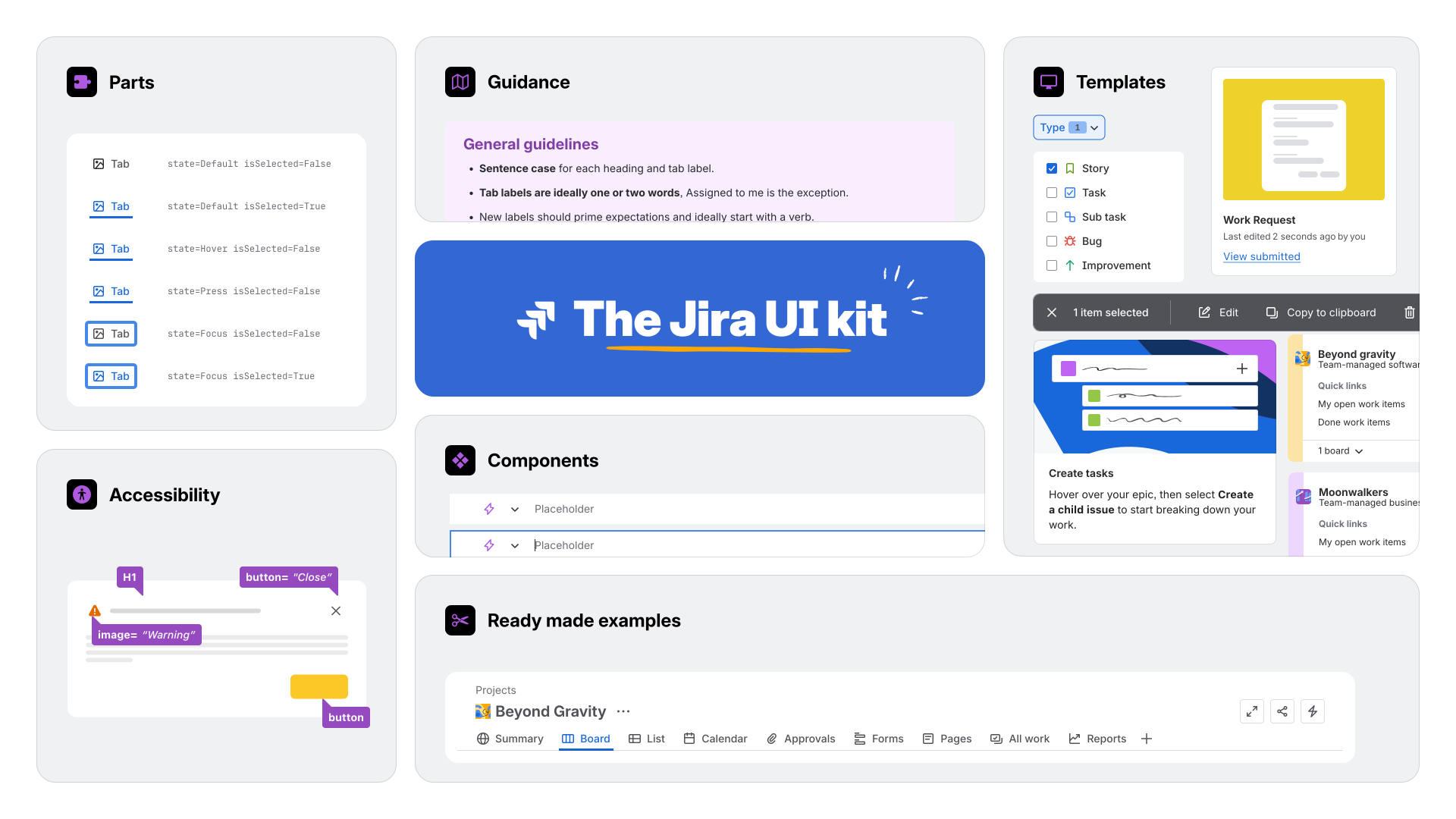
Jira UI Kit hero image showing the ecosystem with foundations, components, templates, and examples
A snapshot of the Jira UI kit ecosystem

Overview

As Jira moved toward product consolidation, design teams faced a critical challenge: maintaining consistency and quality across independent product areas without slowing teams down. I led the work to establish the Jira UI Kit as a single source of truth in Figma - a practical, shared resource that gave designers a reliable foundation while preserving the autonomy they needed to move fast. This required not only building a component library but also designing the governance model, defining contribution workflows, earning leadership alignment, and building enough trust that teams would choose the kit over maintaining their own local variants.

The challenge

Before consolidation, Jira had no single source of truth for design. Separate kits existed for Jira Work Management (Business), Jira Software, and Open tool chain, with teams also borrowing patterns from Confluence. Every team maintained its own components, made its own calls on interaction patterns, and wrote its own documentation. This meant designers duplicated work constantly, shipping experiences that felt inconsistent across the product, and there was no single place to go when you wanted to understand how Jira should feel.

The deeper challenge was trust. A centralised kit only works if teams believe it solves their problems better than whatever they've already built. If the shared library felt slow or out of date, teams would go back to using their local versions. The goal was to build something so practical and credible that adoption became the path of least resistance, something so useful that using it was just the obvious choice.

A shared kit only becomes a real design system when teams trust it enough to stop rebuilding the same patterns in parallel.
Process

I approached the work as both a system building and change management problem. The library itself needed to be strong, but the operating model around it mattered just as much. I partnered with a fellow designer to drive the initiative forward.

Phase 01

Alignment

A shared kit fails without leadership buy-in. I ran cross-team syncs with design leads and principals to build alignment on the problem and vision. I also created a business case highlighting how the fragmentation slowed design velocity, created customer-facing inconsistency, and meant duplicated work across teams. Once leadership was on board, support followed.

Phase 02

Architecture

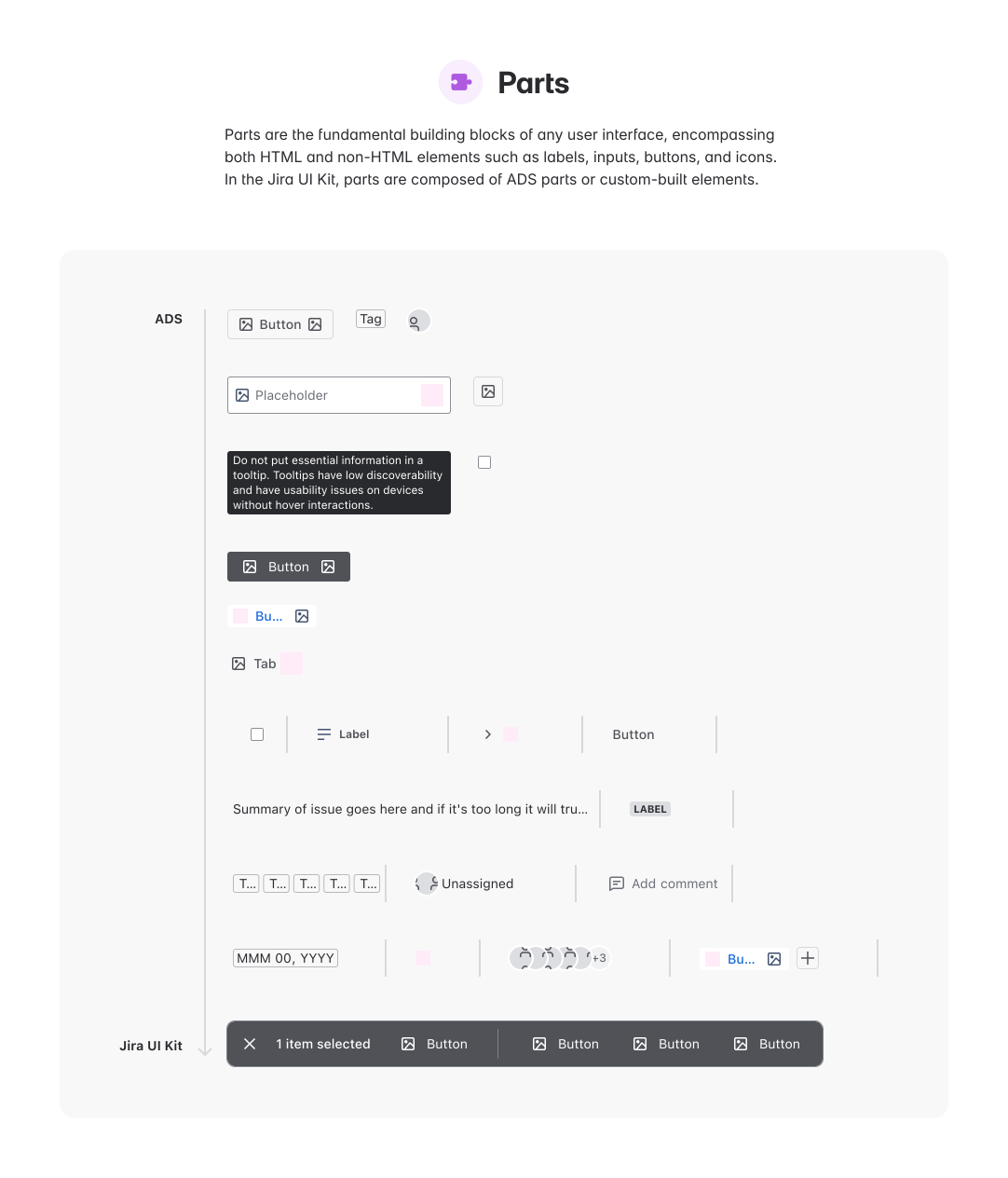
We based the architecture of the kit on the existing Atlassian Design System. The structure prioritised components teams actually used in shipping features e.g. buttons, inputs, modals, key screens. We tried to organise the kit around real workflows: how designers searched for components, customised them, and applied them to their own work.

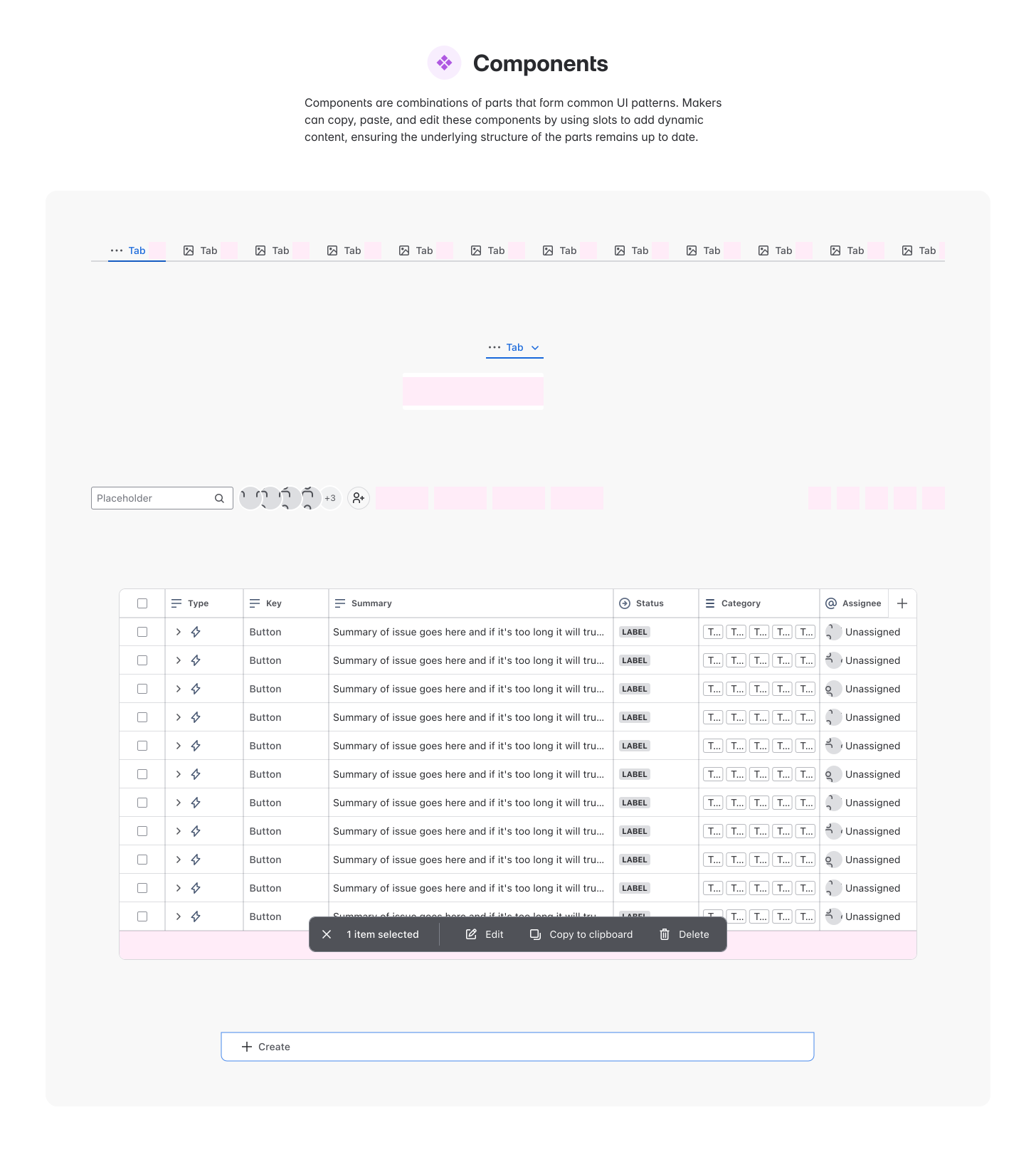
Parts
Components
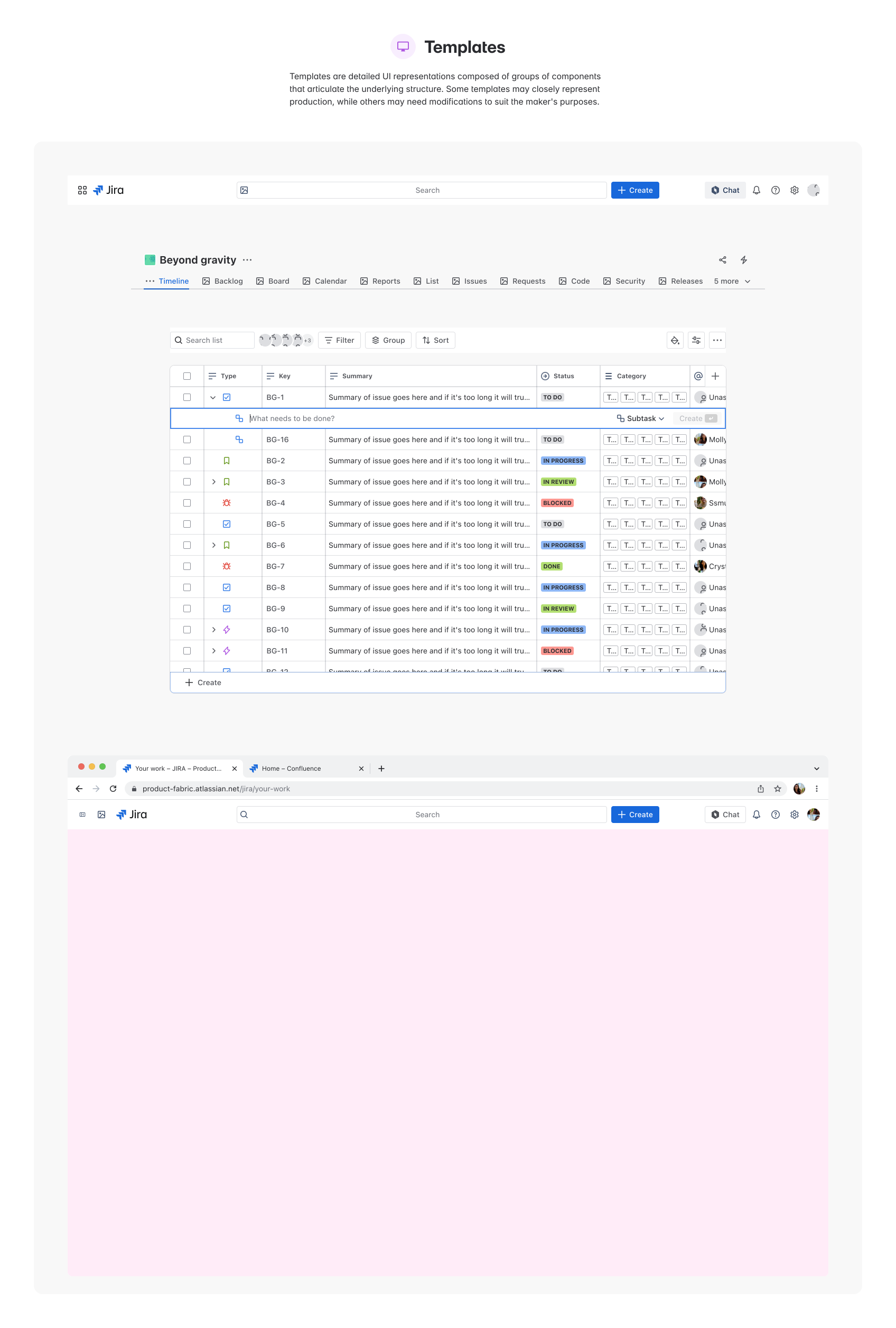
Templates
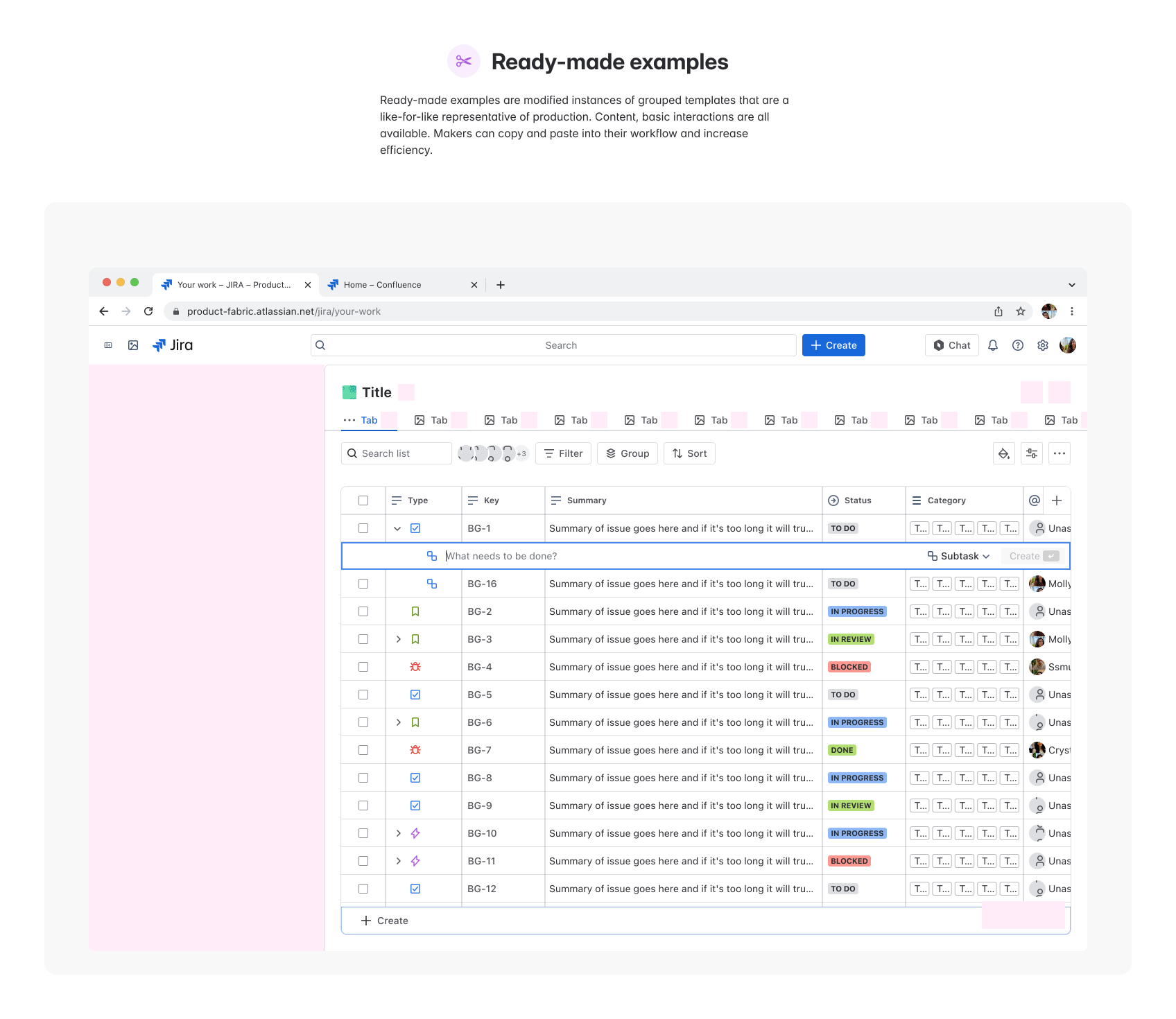
Ready Made Examples
The Jira UI Kit organized into four core layers: Parts (design tokens and foundations), Components (341+ reusable elements), Templates (pre-built patterns and workflows), and Ready Made Examples (use cases and applications).
Phase 03

Governance

To ensure the kit didn’t go stale, I designed a model that distributed ownership by recruiting designers already working on active features to contribute their components straight from their work. A shared backlog made ownership clear, templates kept things consistent, and a lightweight maintenance process meant the kit could grow without becoming anyone's full-time job.

Phase 04

Scale

Designers knew the kit existed, but contributing to it felt like unfamiliar territory, so I ran a design sprint to change that. Authors got hands-on with the contribution model, worked through components from their own features, and left equipped to champion it. Carving out dedicated time also meant components actually got built. Confidence in both Figma and the kit's approach jumped from 4.5 to 6 out of 7, and the contributor pool grew.

Design sprint session with team members collaborating on UI Kit contribution model
Hands-on design sprint enabling authors to work through the contribution model and get equipped to champion the UI Kit across their teams.

Validation

Before broader rollout, we ran moderated usability testing on the new Jira UI Kit library in Figma to evaluate whether it suited makers' ways of working, met the target usability benchmark of an SEQ score of at least 5.5, and exposed areas for improvement.

We recruited 5 to 6 participants across business and software library users and asked them to complete representative tasks such as finding templates and components, creating a flow, and customising an existing component. The research confirmed that the overall direction was strong, while also surfacing specific usability issues in naming, examples, and guidance.

Impact

The Jira UI Kit became a foundational resource across the company. It consolidated reusable components, tokens, patterns, and guidance into one source of truth.

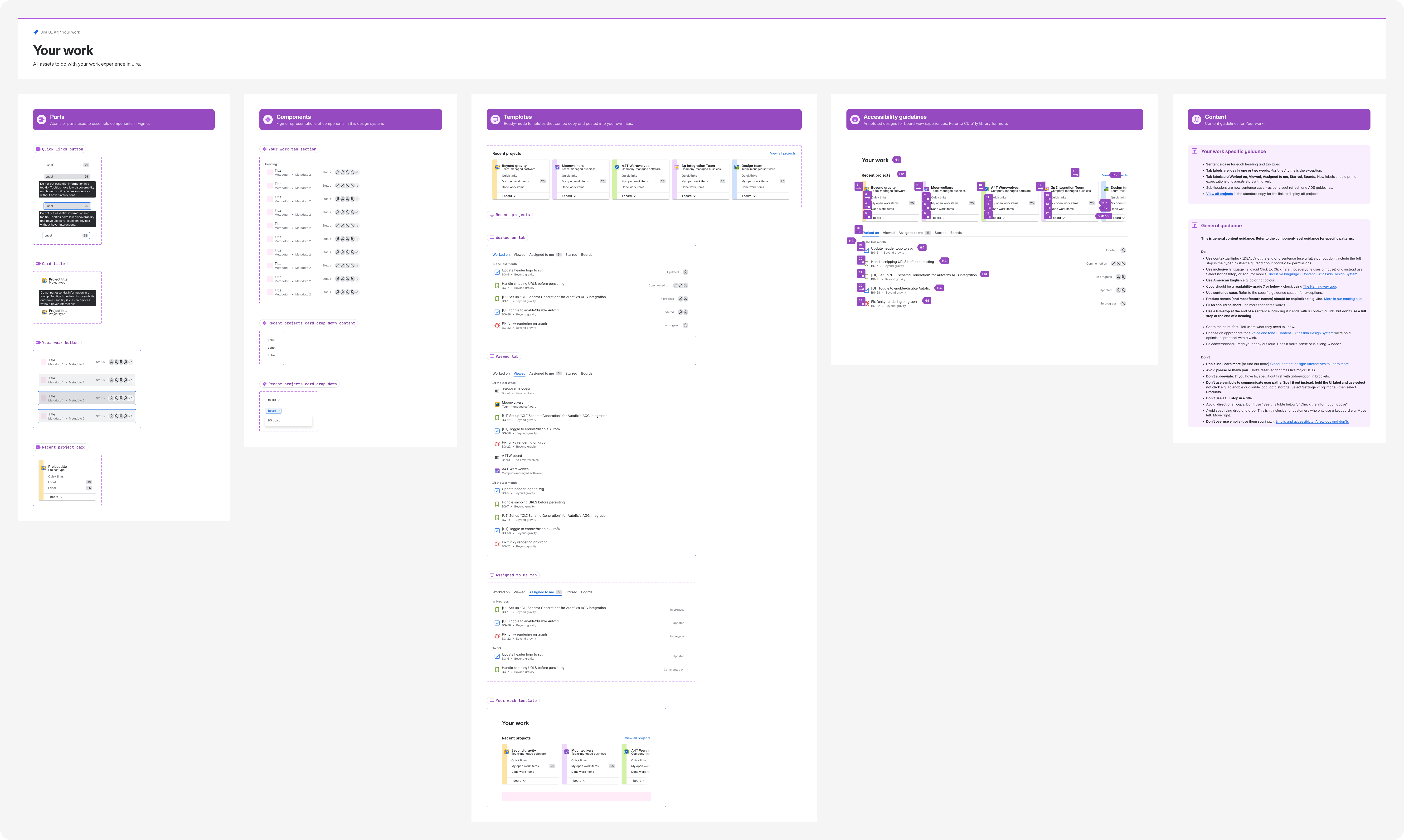
Example of the Jira UI Kit in use showing components and patterns organized in a library
The Jira UI Kit provides designers with a comprehensive library of reusable components and patterns, streamlining design workflows across teams.

What teams got

  • A single source of truth: One library for all Jira product areas, replacing multiple scattered kits, with accessibility and best practices built in.
  • Faster execution: Pre-built components, patterns, and templates accelerating design workflows without sacrificing quality.
  • Consistency at scale: A shared foundation ensures experiences feel cohesive across the product.

What keeps it alive

  • Distributed ownership: Designers working on active features contribute components from their real work, ensuring the kit stays current and relevant.
  • Clear governance: A backlog, authorship assignments, and contribution templates keep the process streamlined and lightweight.
  • Sustained support: Regular updates, team enablement, and leadership alignment ensured the kit remained a priority and doesn't become outdated.

The library of 341 components grew to reach 704k+ total inserts with 98% design token adoption. The kit streamlined design processes for makers, growing from 26 teams at launch to 63 teams, with consistent active reuse and faster iteration cycles across the organisation. Ready-made examples increased by 272.5% to 756, demonstrating the value of practical, focused guidance.

Metric Launch Current Growth
Team adoption 26 teams 63 teams +142%
Weekly component inserts 3.9k+ 704k+ +2,533%
Library maturity 341 components 511 components +50%
Design token usage 18% 98% #1 in org

Adoption metrics: Launch to current

Extending reach

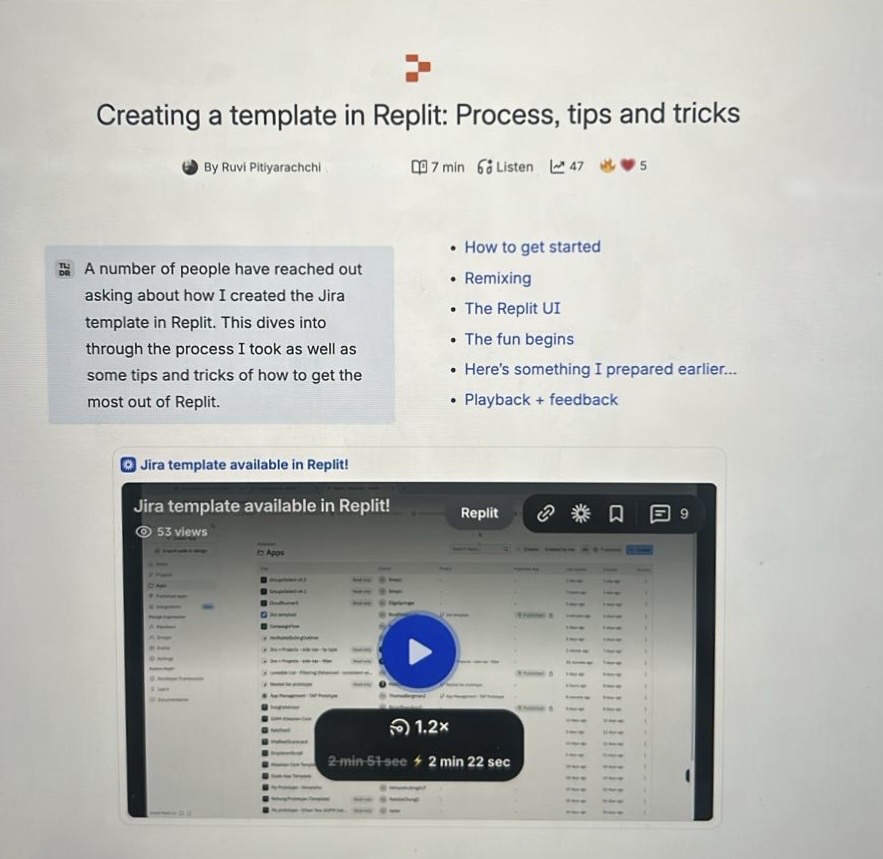
To push the UI kit even further, I built a Jira Replit template using the kit as the design foundation, making it easy for non-tech employees across the company to create Jira prototypes. I also authored documentation and training materials to support adoption.

Jira UI Kit Replit template documentation and training materials Jira UI Kit Replit template usage examples and implementation guide
Documentation and training materials created to support adoption of the Jira Replit template and vibe coding.

During the company-wide AI Builders Week, this template became a critical resource adopted by thousands of builders internally, and used by Replit themselves during demoes. The template earned recognition from the company president for enabling rapid prototyping and demonstrating the value of structured design systems in developer tools. This outcome showed the UI kit's true power: it wasn't just a tool for designers, but a foundation that could accelerate work across disciplines.

Huge thank you for your contributions to our Replit Template sprint for 201 AI School! Appreciate your collaboration & your speed.
Anu Bharadwaj, President at Atlassian
A big thank you for all the mammoth work you've done to create a high-quality starting point for the Designers, Product Managers and Content Designer that may want to use Jira screens in Replit. Your craft excellence has ensured Makers will have more effective prompts, less time to generate outputs, and high coherence with the Atlassian brand.
Lewis Healey, Principal Design Technologist
Thank you for being my go-to for Replit prototyping. I've used your template, pinged you (many times) with questions and taken your advice, and have been able to leverage your hard work to help speed up my own.
Tim Swan, Principal Product Designer on Jira AI

Recreation of the Jira Replit template due to access issues with the original

Next Case Study

Custom Views